


Hey there! As a supplier of passive lightning counters, I often get asked about how to read the data from these nifty devices. In this blog post, I'm gonna break it down for you in a simple and easy - to - understand way.
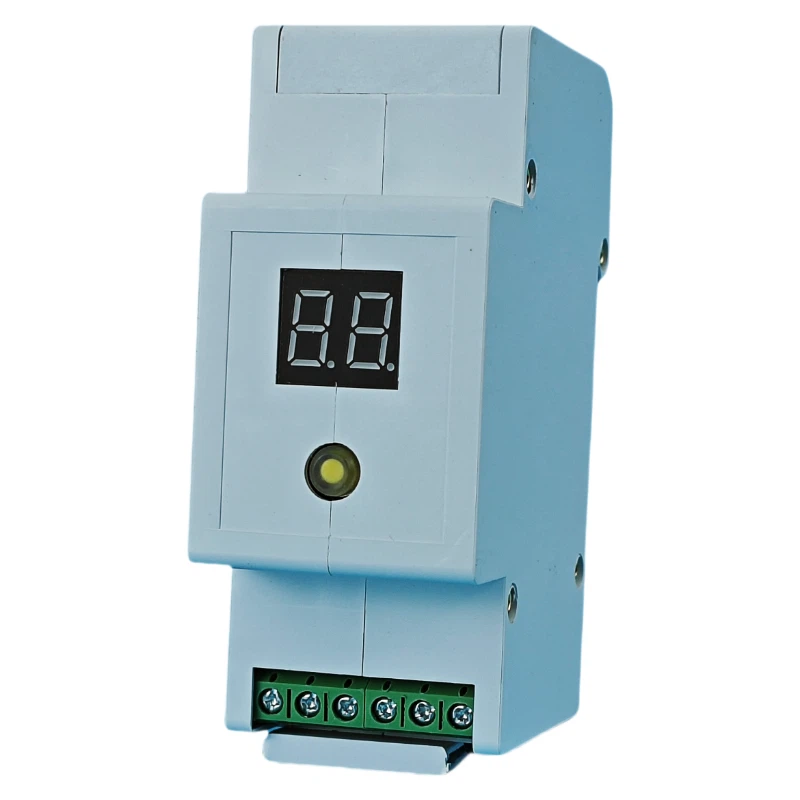
First off, let's talk a bit about what a passive lightning counter is. A passive lightning counter, like our Passive Lightning Counter Module, is a device that can detect and record lightning strikes in a particular area. It doesn't actively emit any signals; instead, it sits there quietly, waiting for the electrical signatures of lightning to come its way.
Understanding the Basics of Data Recording
The data recording process of a passive lightning counter is based on detecting the electromagnetic pulses (EMPs) generated by lightning strikes. When a lightning bolt hits the ground or occurs in the atmosphere, it creates a powerful EMP that can be picked up by the counter.
Most of our passive lightning counters are designed to record two main types of data: the number of lightning strikes and the approximate time of each strike. The number of strikes is pretty self - explanatory. It gives you a clear idea of how often lightning has occurred in the monitored area. The time of each strike is also crucial, as it can help you analyze patterns, such as whether lightning is more likely to occur during certain times of the day or year.
Accessing the Recorded Data
Now, let's get into how you can actually access the data from the passive lightning counter. There are a few different methods, and which one you choose depends on the model of the counter you have.
Local Display
Some of our passive lightning counters come with a built - in local display. This is super convenient because you can just walk up to the device and take a look at the data right on the spot. The display usually shows the total number of strikes and, in some cases, a simple log of the strike times.
To read the data from the local display, you'll typically just need to press a few buttons. There might be an "INFO" or "DISPLAY" button that you can use to cycle through different screens of data. For example, one screen might show the total number of strikes, and another might show the strikes from the past 24 hours.
USB or Serial Connection
If your passive lightning counter doesn't have a local display or if you want to transfer the data to a computer for more in - depth analysis, you can use a USB or serial connection. Most of our counters are equipped with a USB or serial port that you can connect to your computer.
Once you've connected the counter to your computer, you'll need to install the appropriate software. This software is usually provided by us as a free download. After installing the software, you can open it up and follow the on - screen instructions to establish a connection with the counter. Once the connection is established, the software will start retrieving the data from the counter. It'll then display the data in a user - friendly format, such as a table or a graph.
Wireless Communication
We also offer some passive lightning counters that support wireless communication. These counters can connect to your local Wi - Fi network or use Bluetooth to transfer the data to your smartphone, tablet, or computer.
If you're using a Wi - Fi enabled counter, you'll need to configure it to connect to your Wi - Fi network. This usually involves entering your Wi - Fi network's SSID and password through the counter's setup menu. Once it's connected, you can use a dedicated mobile app or web - based interface to access the data.
For Bluetooth - enabled counters, you'll just need to pair your device (smartphone or tablet) with the counter. Once paired, you can open the corresponding app and start retrieving the data.
Analyzing the Data
Once you've accessed the data from the passive lightning counter, the next step is to analyze it. Here are some ways you can make sense of the data:
Strike Frequency Analysis
By looking at the number of strikes over a period of time, you can determine the strike frequency. For example, if you see that there were 10 strikes in a month, and in the next month there were 20 strikes, you can conclude that the lightning activity has increased.
You can also break down the strike frequency by time of day or season. This can help you identify patterns, such as whether lightning is more common in the afternoon or during the summer months.
Location - Based Analysis
If you have multiple passive lightning counters installed in different locations, you can compare the data from each counter. This can give you an idea of how lightning activity varies across different areas. For example, you might find that one area is more prone to lightning strikes than another, which could be useful for planning purposes, such as where to install sensitive equipment.
Troubleshooting Data Reading Issues
Sometimes, you might run into issues when trying to read the data from the passive lightning counter. Here are some common problems and how to fix them:
No Data Displayed on Local Display
If the local display isn't showing any data, the first thing to check is the power supply. Make sure the counter is properly powered. You might also want to check if the display is damaged. If the display looks fine but still isn't showing data, try resetting the counter. There's usually a reset button on the device that you can press.
Connection Issues with USB or Wireless
If you're having trouble connecting the counter to your computer via USB or wirelessly, check the cables or the Wi - Fi/Bluetooth settings. Make sure the cables are properly plugged in, and that your computer or mobile device is set up to accept the connection. You might also need to update the software on your device or the counter itself.
Why Our Passive Lightning Counter is a Great Choice
Our Passive Lightning Counter Module is designed with the user in mind. It's easy to install, and as you've seen, it's also very easy to read and analyze the data. We use high - quality sensors that can accurately detect even the weakest lightning signals. And our software is constantly being updated to provide you with the best possible user experience.
If you're in the market for a reliable passive lightning counter, or if you have any questions about reading the data from our devices, don't hesitate to reach out. Whether you're a weather enthusiast, a researcher, or a business owner looking to protect your assets from lightning damage, our passive lightning counters can provide you with the valuable data you need.
We're here to help you every step of the way, from choosing the right counter for your needs to assisting you with data analysis. So, if you're interested in purchasing our passive lightning counter or want to learn more, just get in touch with us. We'll be happy to have a chat and discuss how our products can meet your requirements.
References
- Lightning Detection Handbook, Lightning Protection Institute
- Principles of Electromagnetic Pulse Detection in Lightning Counters, Journal of Atmospheric and Oceanic Technology